Converting .stl to .mrc or .pdb

Hello everyone, For instructional purposes, I am trying to generate simulated cryo-EM micrographs from a .stl file, in this case Mickey Mouse. This way, students can hold the 3D printed Mickey up to the micrograph to better understand projection images and angular assignment. I am able to open the .stl file in ChimeraX, but I can not figure out how to convert it to a format that is accepted by micrograph simulation programs, either .mrc or .pdb. Has anyone else figured out how to do this? Thanks! Sincerely, Mitch

Hi Mitch, The issue is that the STL file describes a surface, whereas .mrc is a map format (values on a grid), and .pdb is for atomic coordinates. You would have to create a map from the surface in order to save it as a .mrc file. See the command "volume onesmask" to create a map with values of 1 inside the surface and 0 outside the surface: <https://rbvi.ucsf.edu/chimerax/docs/user/commands/volume.html#onesmask> For example, if your surface is open as model #1, this would create map model #2 and save it as mrc: volumes onesmask #1 save mickey.mrc models #2 However, you really should look at the help link for "volume onesmask" because there are several options and you might prefer to use some of them. I hope this helps, Elaine ----- Elaine C. Meng, Ph.D. UCSF Chimera(X) team Resource for Biocomputing, Visualization, and Informatics Department of Pharmaceutical Chemistry University of California, San Francisco
On Nov 15, 2025, at 2:09 PM, Mitchell Gulkis via ChimeraX-users <chimerax-users@cgl.ucsf.edu> wrote:
Hello everyone,
For instructional purposes, I am trying to generate simulated cryo-EM micrographs from a .stl file, in this case Mickey Mouse. This way, students can hold the 3D printed Mickey up to the micrograph to better understand projection images and angular assignment.
I am able to open the .stl file in ChimeraX, but I can not figure out how to convert it to a format that is accepted by micrograph simulation programs, either .mrc or .pdb. Has anyone else figured out how to do this?
Thanks!
Sincerely,
Mitch

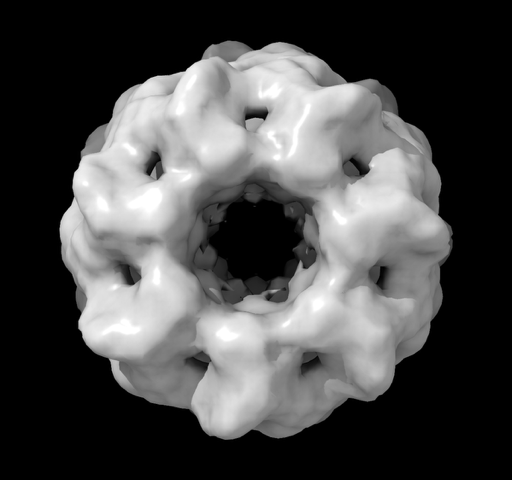
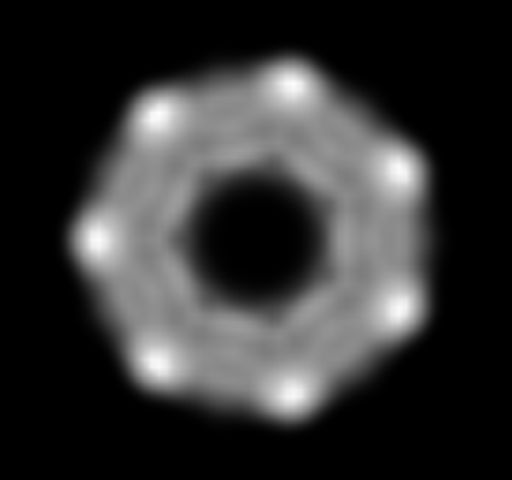
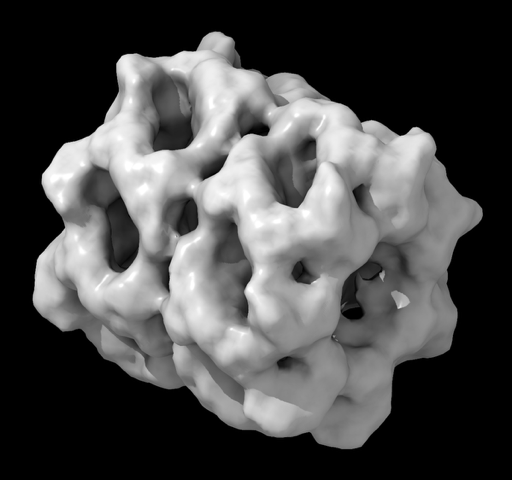
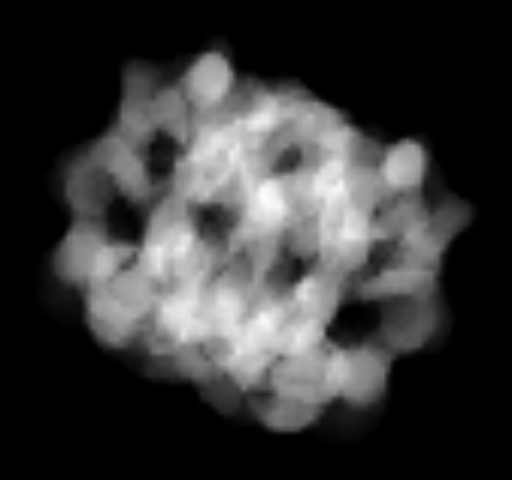
Hi Mitch, One other tip. You said you want to simulate a cryoEM micrographi, in other words, a 2D projection image. If you made a uniform density 3D Mickey Mouse as Elaine described with command "volume onesmask" then to project it to and xy image along the z axis you can use the "volume bin" command where you list the bin size of the z dimension as the full size in grid points of the volume box along z. Here's an example projecting an actual EM map which has box size 100 x 100 x 100 grid points. open 1080 from emdb volume bin #1 binsize 1,1,100 volume #2 style image To simulate the random orientations you get in a cryoEM micrograph you could rotate your STL model to random orieintations and the make the ones mask version and project. To do those rotations you you can use the turn command. Here is an example open 1080 from emdb turn x 35 model #1 coord #1 turn y 50 model #1 coord #1 volume onesmask #1 value float32 volume bin #2 binsize 1,1,101 volume #3 style image camera ortho Here I made the ones mask have floating point values instead of the default integer. That is because the volume bin command uses the save value type and averages the values, and if they are integers then the average converted to an integer is always 0. One more trick, use "camera ortho" to view the 3D surface model in orthographic projection instead of the default perspective projection to view it as it will be projected. Tom Left image is 3d cryoEM map of GroEL, and right is after project along z axis. Orientation rotated 35 degrees about x followed by 50 degrees about y.
On Nov 16, 2025, at 8:38 AM, Elaine Meng via ChimeraX-users <chimerax-users@cgl.ucsf.edu> wrote:
Hi Mitch, The issue is that the STL file describes a surface, whereas .mrc is a map format (values on a grid), and .pdb is for atomic coordinates. You would have to create a map from the surface in order to save it as a .mrc file.
See the command "volume onesmask" to create a map with values of 1 inside the surface and 0 outside the surface: <https://rbvi.ucsf.edu/chimerax/docs/user/commands/volume.html#onesmask>
For example, if your surface is open as model #1, this would create map model #2 and save it as mrc:
volumes onesmask #1 save mickey.mrc models #2
However, you really should look at the help link for "volume onesmask" because there are several options and you might prefer to use some of them.
I hope this helps, Elaine ----- Elaine C. Meng, Ph.D. UCSF Chimera(X) team Resource for Biocomputing, Visualization, and Informatics Department of Pharmaceutical Chemistry University of California, San Francisco
On Nov 15, 2025, at 2:09 PM, Mitchell Gulkis via ChimeraX-users <chimerax-users@cgl.ucsf.edu> wrote:
Hello everyone,
For instructional purposes, I am trying to generate simulated cryo-EM micrographs from a .stl file, in this case Mickey Mouse. This way, students can hold the 3D printed Mickey up to the micrograph to better understand projection images and angular assignment.
I am able to open the .stl file in ChimeraX, but I can not figure out how to convert it to a format that is accepted by micrograph simulation programs, either .mrc or .pdb. Has anyone else figured out how to do this?
Thanks!
Sincerely,
Mitch
_______________________________________________ ChimeraX-users mailing list -- chimerax-users@cgl.ucsf.edu To unsubscribe send an email to chimerax-users-leave@cgl.ucsf.edu Archives: https://mail.cgl.ucsf.edu/mailman/archives/list/chimerax-users@cgl.ucsf.edu/
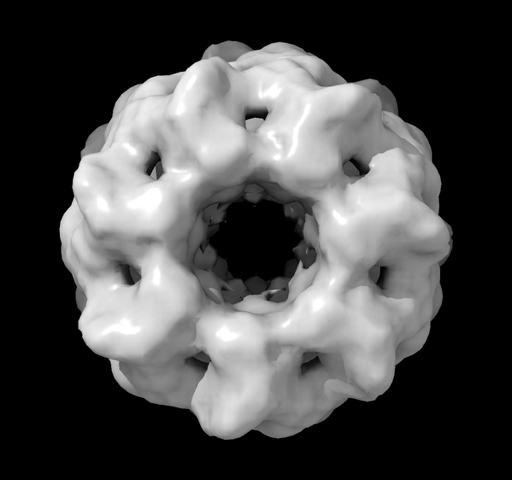
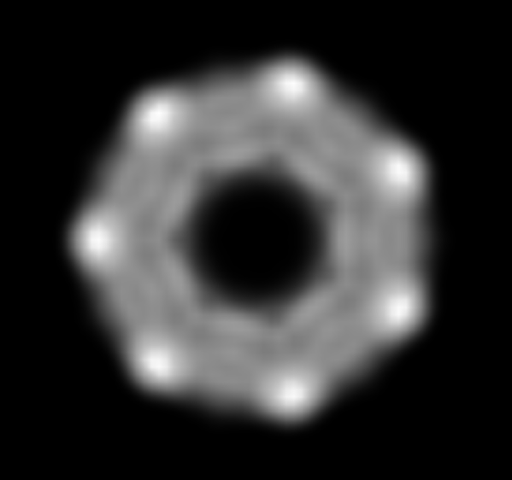
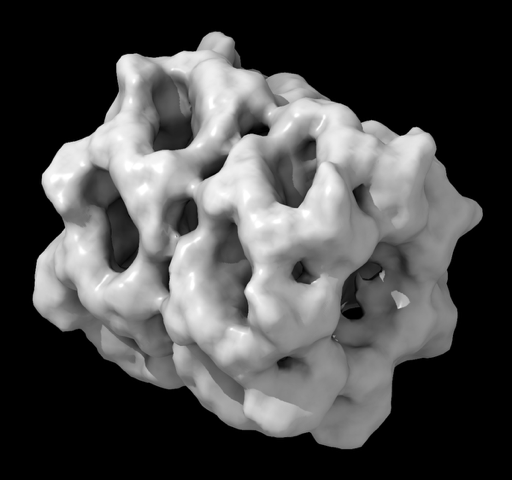
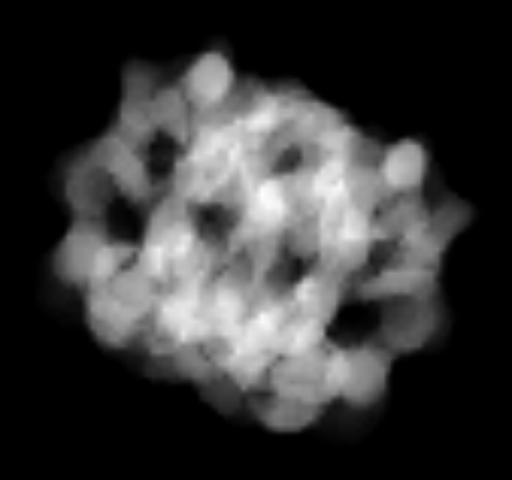
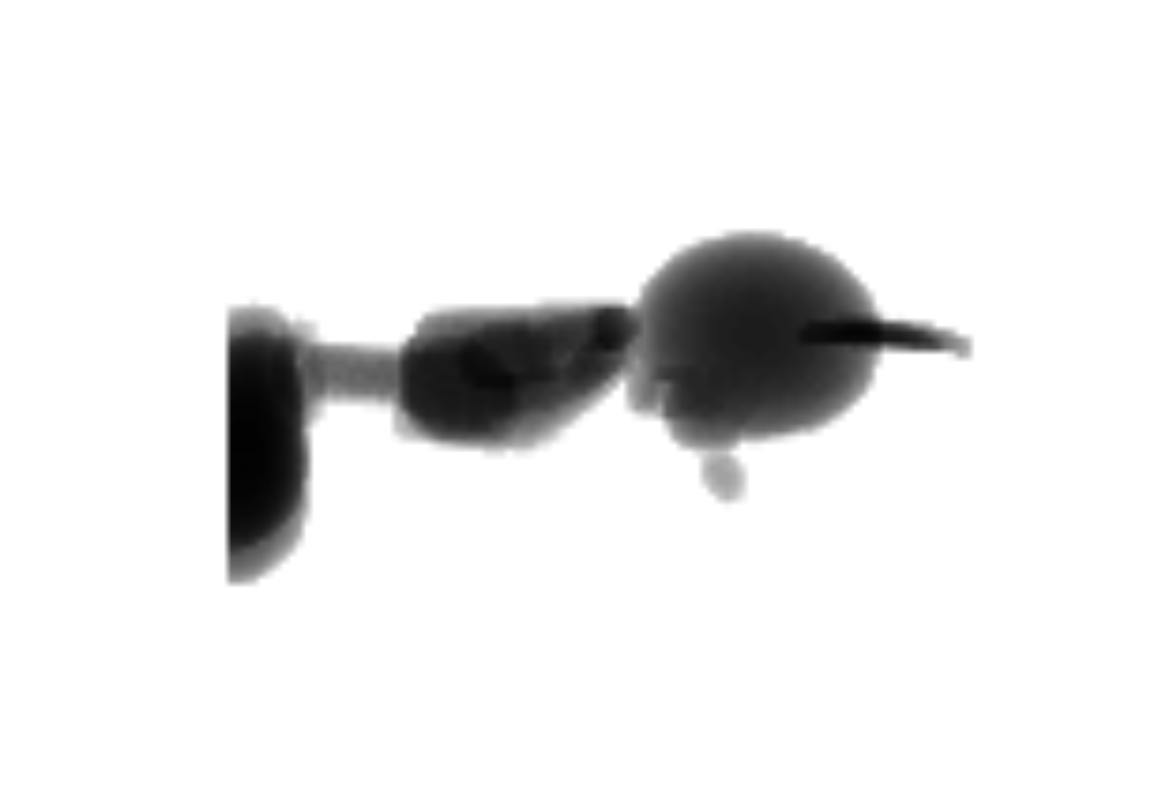
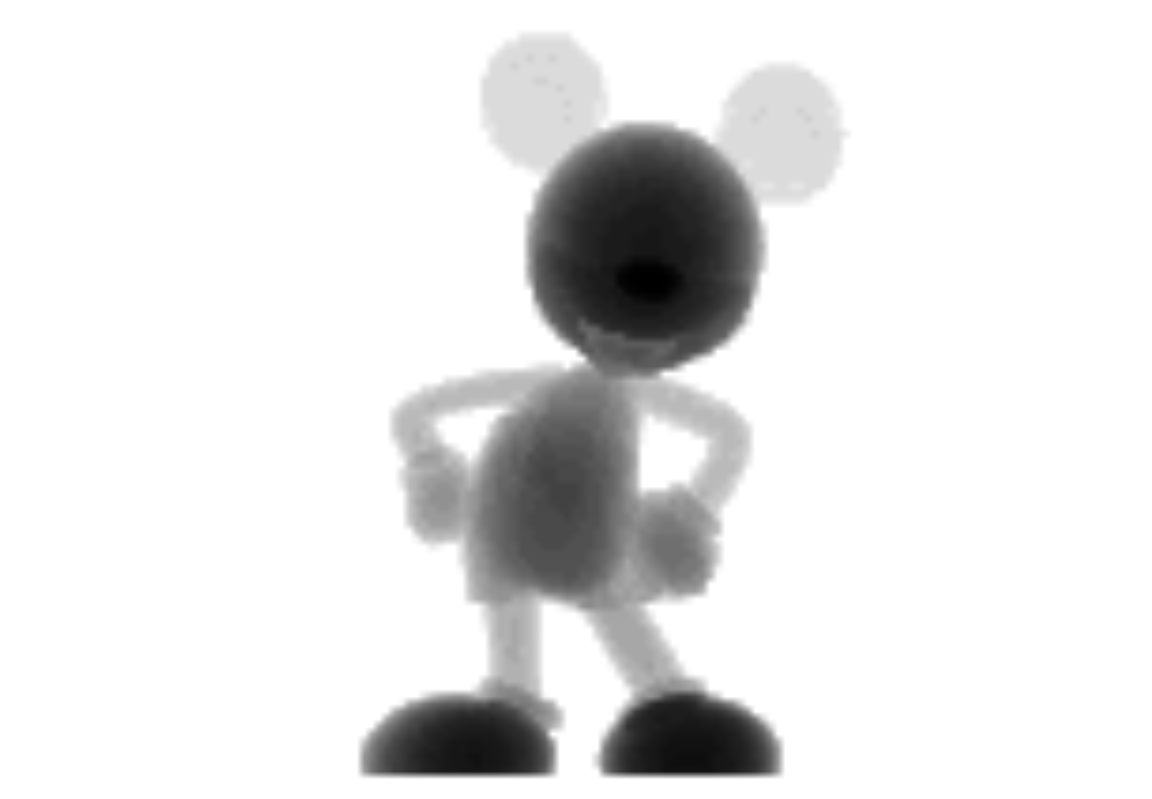
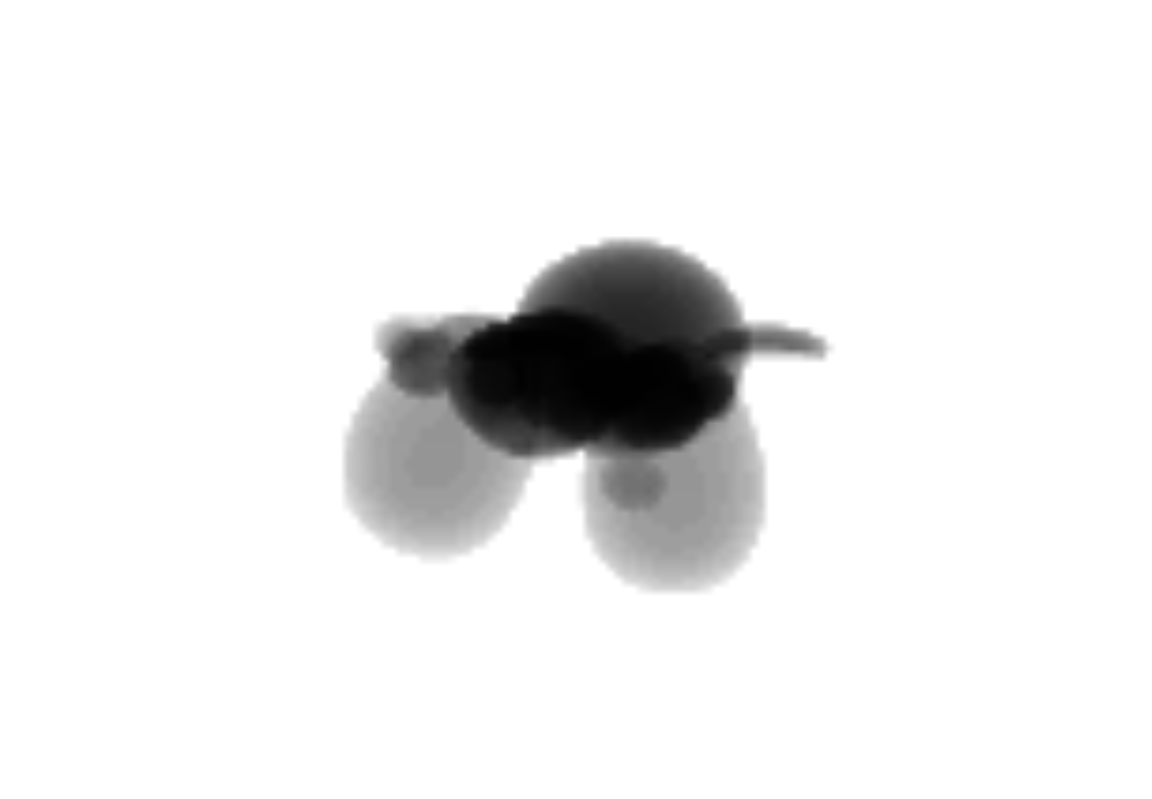
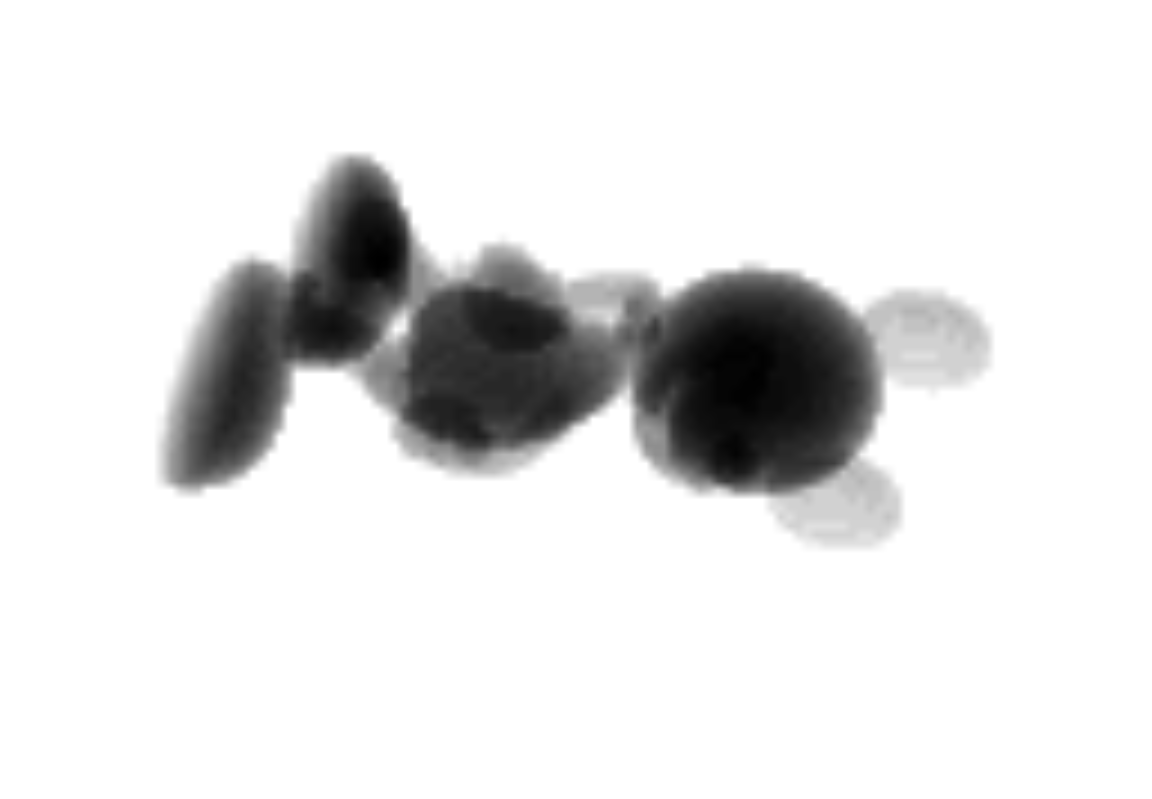
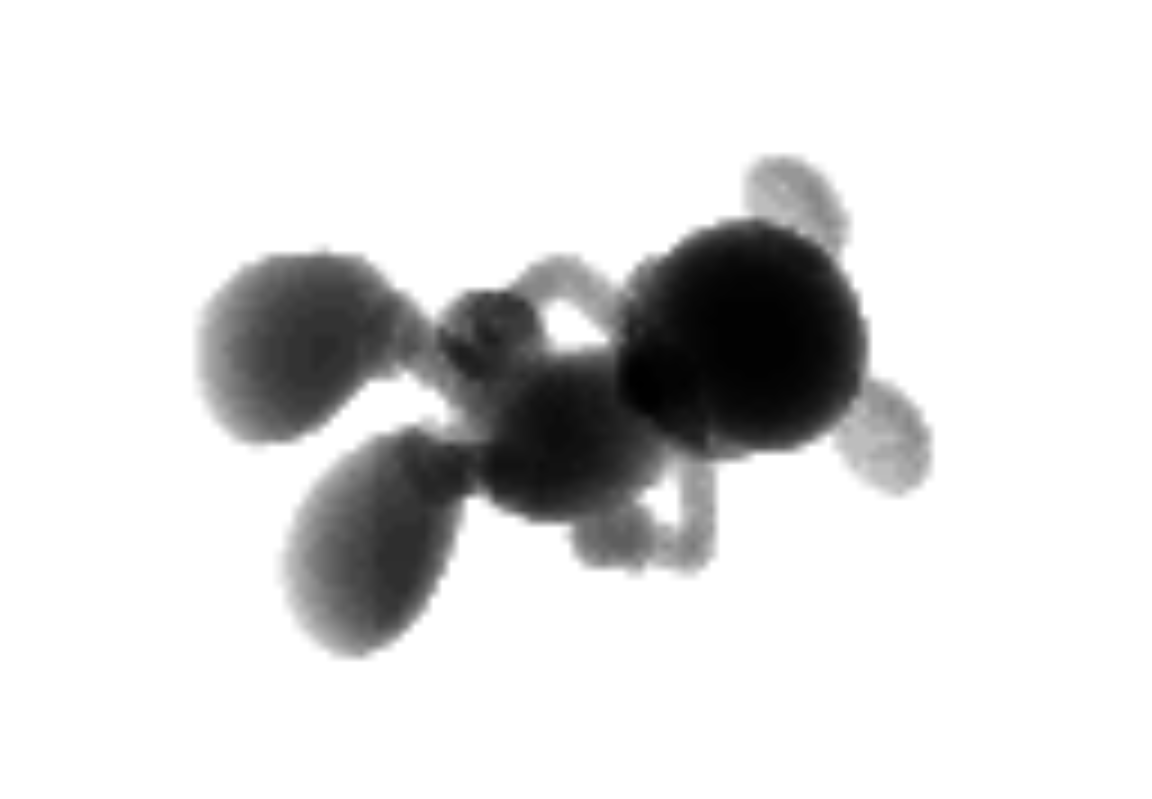
Hi Elaine and Tom, Thanks so much for the help, this works great! I have attached 3 orthogonal projections of Mickey and 2 non-orthogonal projections for anyone interested. Sincerely, Mitch ________________________________ From: Tom Goddard <goddard@sonic.net> Sent: Sunday, November 16, 2025 2:32 PM To: Gulkis,Mitchell C <mitchell.gulkis@ufl.edu> Cc: ChimeraX Users Help <chimerax-users@cgl.ucsf.edu> Subject: Re: [chimerax-users] Converting .stl to .mrc or .pdb [External Email] Hi Mitch, One other tip. You said you want to simulate a cryoEM micrographi, in other words, a 2D projection image. If you made a uniform density 3D Mickey Mouse as Elaine described with command "volume onesmask" then to project it to and xy image along the z axis you can use the "volume bin" command where you list the bin size of the z dimension as the full size in grid points of the volume box along z. Here's an example projecting an actual EM map which has box size 100 x 100 x 100 grid points. open 1080 from emdb volume bin #1 binsize 1,1,100 volume #2 style image To simulate the random orientations you get in a cryoEM micrograph you could rotate your STL model to random orieintations and the make the ones mask version and project. To do those rotations you you can use the turn command. Here is an example open 1080 from emdb turn x 35 model #1 coord #1 turn y 50 model #1 coord #1 volume onesmask #1 value float32 volume bin #2 binsize 1,1,101 volume #3 style image camera ortho Here I made the ones mask have floating point values instead of the default integer. That is because the volume bin command uses the save value type and averages the values, and if they are integers then the average converted to an integer is always 0. One more trick, use "camera ortho" to view the 3D surface model in orthographic projection instead of the default perspective projection to view it as it will be projected. Tom Left image is 3d cryoEM map of GroEL, and right is after project along z axis. [cid:cd71e84a-f8fd-443d-9c38-2ea9e8679408@namprd22.prod.outlook.com] [cid:1b38af97-c8ba-4dbb-95a6-3dc6d57b9ce9@namprd22.prod.outlook.com] Orientation rotated 35 degrees about x followed by 50 degrees about y. [cid:e9d96581-dd6a-40c2-a6f4-6cbe11ea2983@namprd22.prod.outlook.com] [cid:33f4bbdd-7409-4a34-88f0-73ae36b4c6d8@namprd22.prod.outlook.com]
On Nov 16, 2025, at 8:38 AM, Elaine Meng via ChimeraX-users <chimerax-users@cgl.ucsf.edu> wrote:
Hi Mitch, The issue is that the STL file describes a surface, whereas .mrc is a map format (values on a grid), and .pdb is for atomic coordinates. You would have to create a map from the surface in order to save it as a .mrc file.
See the command "volume onesmask" to create a map with values of 1 inside the surface and 0 outside the surface: <https://rbvi.ucsf.edu/chimerax/docs/user/commands/volume.html#onesmask>
For example, if your surface is open as model #1, this would create map model #2 and save it as mrc:
volumes onesmask #1 save mickey.mrc models #2
However, you really should look at the help link for "volume onesmask" because there are several options and you might prefer to use some of them.
I hope this helps, Elaine ----- Elaine C. Meng, Ph.D. UCSF Chimera(X) team Resource for Biocomputing, Visualization, and Informatics Department of Pharmaceutical Chemistry University of California, San Francisco
On Nov 15, 2025, at 2:09 PM, Mitchell Gulkis via ChimeraX-users <chimerax-users@cgl.ucsf.edu> wrote:
Hello everyone,
For instructional purposes, I am trying to generate simulated cryo-EM micrographs from a .stl file, in this case Mickey Mouse. This way, students can hold the 3D printed Mickey up to the micrograph to better understand projection images and angular assignment.
I am able to open the .stl file in ChimeraX, but I can not figure out how to convert it to a format that is accepted by micrograph simulation programs, either .mrc or .pdb. Has anyone else figured out how to do this?
Thanks!
Sincerely,
Mitch
_______________________________________________ ChimeraX-users mailing list -- chimerax-users@cgl.ucsf.edu To unsubscribe send an email to chimerax-users-leave@cgl.ucsf.edu Archives: https://mail.cgl.ucsf.edu/mailman/archives/list/chimerax-users@cgl.ucsf.edu/
participants (4)
-
 Elaine Meng
 -
 Gulkis,Mitchell C
 -
mitchell.gulkis@ufl.edu
-
 Tom Goddard