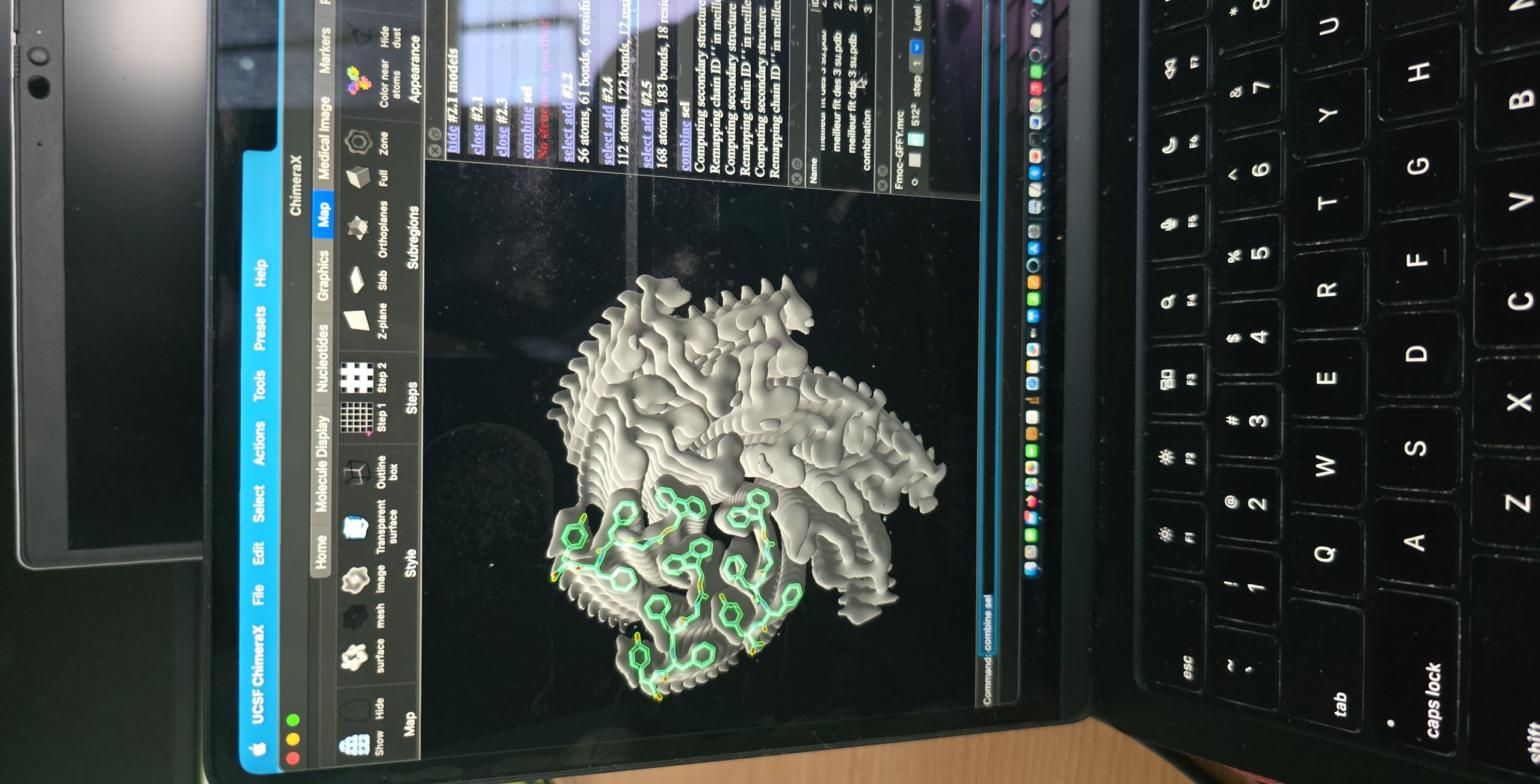
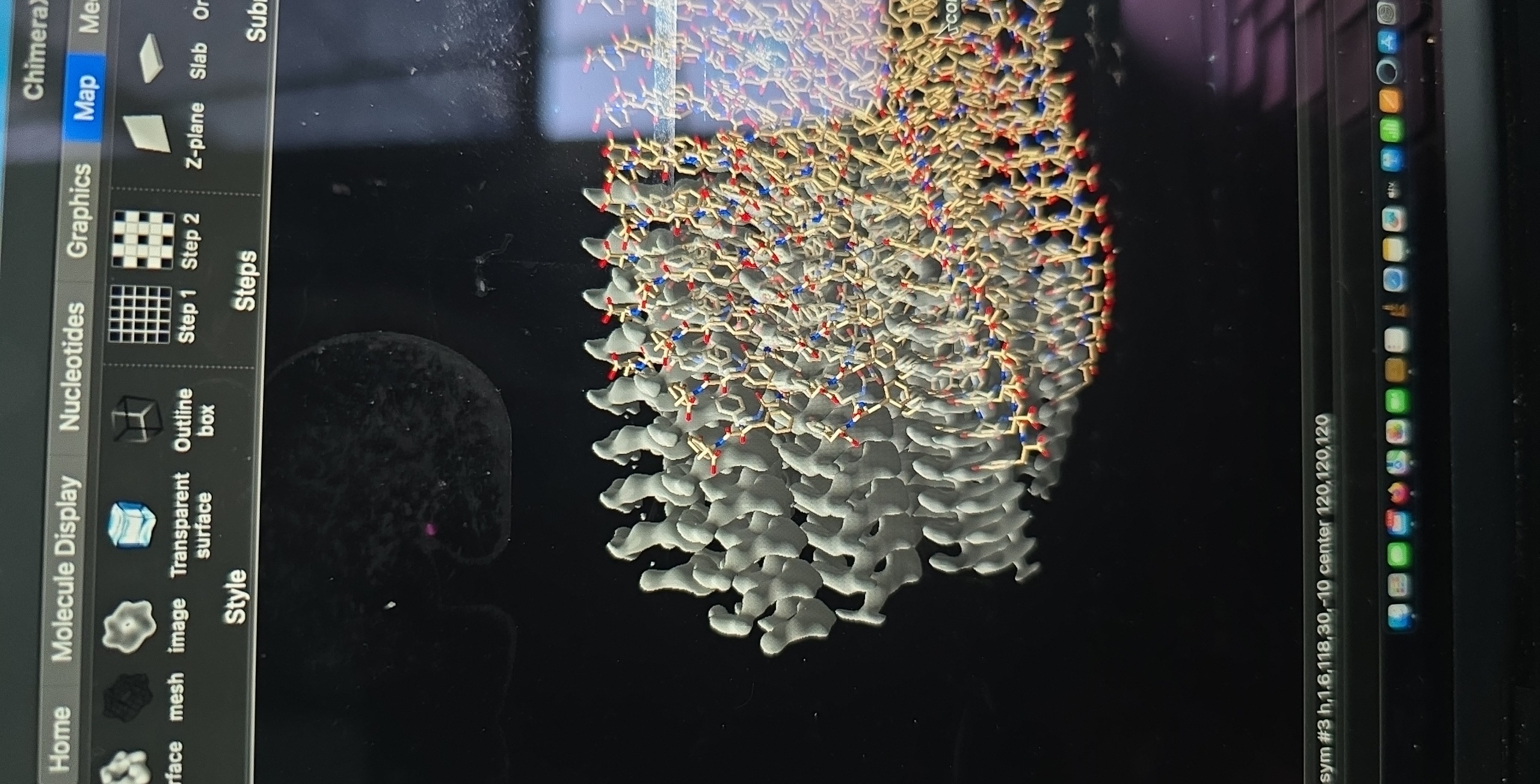
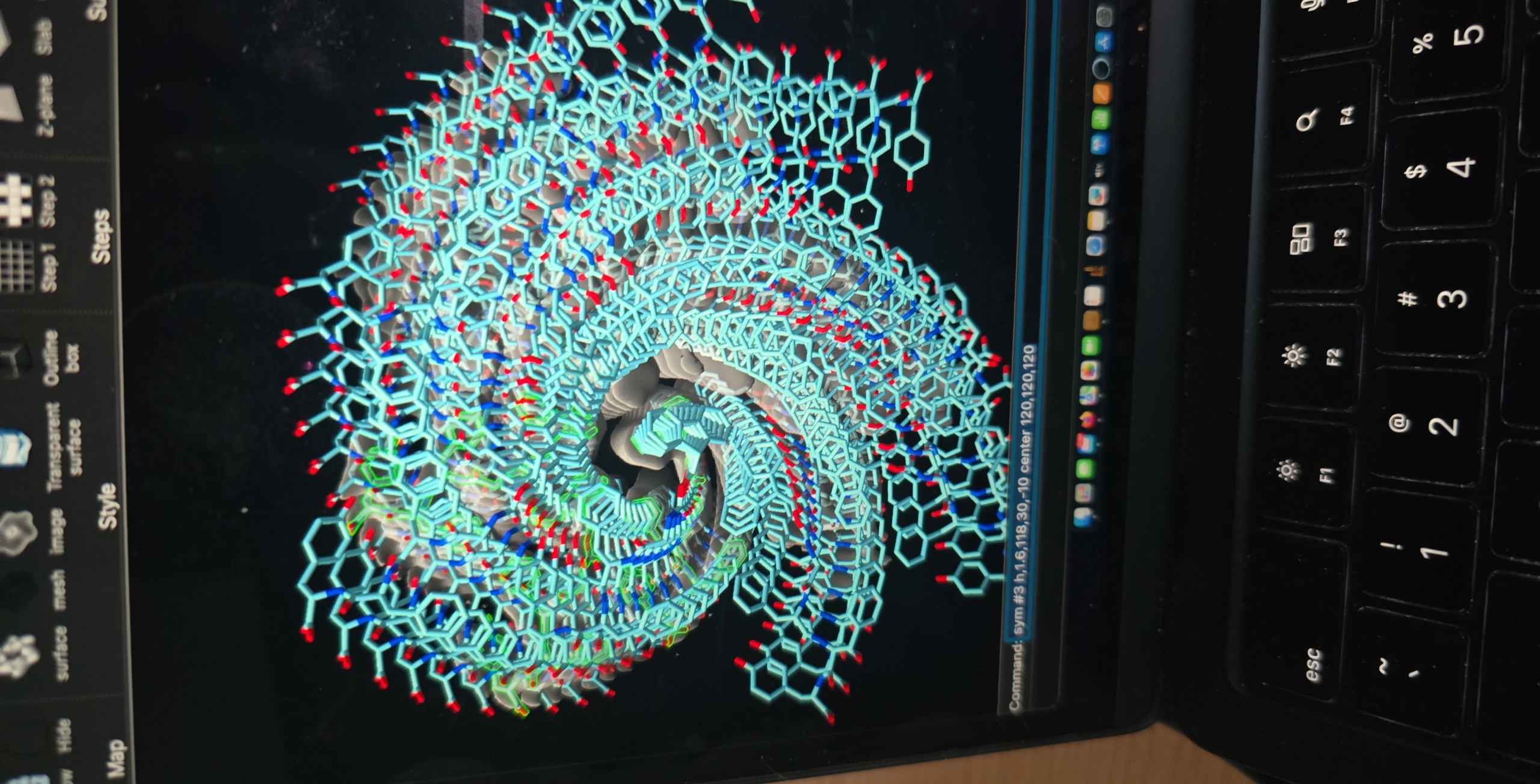
Hello Tom, Thanks for the detailed explanation. I will try shifting the origin index of the map as you suggested and see if that helps with the centering issue. When I said 'several layers', I meant the structure shows nine molecules per layer, connected by a helical rotation of nearly 120° (~118°) and a rise of ~4.8/3, i.e. ~1.6 Å. There are three molecules near the center (related by helical symmetry) and three pairs of molecules located between each of the “central” molecules. Thus, 3 + 2×3 = 3 + 6 = 9. To make it more visual : These are the 3 asymetrical subunits, perfectly fit in the map. When I use the parameters of symmetry I obtain this: 1st I would like it to be repeated in 9 layers and perfectly fit. 2nd the center does not seem perfectly aligned. Given that the 3 asymmetrical subunits fit perfectly, I suspect the issue lies Fmoc-GFFY.mrc <https://drive.google.com/file/d/1BCsv54ZCuDtT3qpL3YF-s2wWkJnKoBiG/view?usp=d...> with the center coordinates. PFA the map and the model if you would like to check them yourself. Since ISOLDE lacks the force field for modified residues this makes it even harder. I would like to know if there is a solution before trying other alternative tools. Thank you and have a nice day, Wendy On Wed, 6 May 2026, 21:06 Tom Goddard, <goddard@sonic.net> wrote:
Hi Wendy,
I'd need more explanation of the problems to advise. In your command "sym #3 h,1.6,118,30,-10 center 120,120,120" the 30 is the number of repeats of model #3 in the helical assembly. You can of course increase that number to make a longer stretch of helix. I'm not sure what you mean by "several layers". If the assembly is not centered on your map there are various solutions. For helical symmetry maps I think the best approach is to make the symmetry axis the z axis and passing through the origin 0,0,0. You may need to shift the origin index of the map (ChimeraX menu Tools / Volume Data / Map Coordinates). This defines the grid index of the map that is supposed to have x,y,z = 0,0,0. If your map is 240 by 240 by 240 in size the center of symmetry might be at 119,119,119 or 120,120,120 (the two points close to the center of the box). You can save a new .mrc file for the map to remember that center. In addition to get the sym command to produce a helical atomic model that fits you would start with one copy of your asymmetric model fit into the map, then use the sym command on it.
Docs for sym command https://www.cgl.ucsf.edu/chimerax/docs/user/commands/sym.html#symmetry
Tom
On May 6, 2026, at 6:04 AM, Wendy Lera via ChimeraX-users < chimerax-users@cgl.ucsf.edu> wrote:
Hello,
I have made the perfect fit between a map and model. However, the center is not well aligned and I can not repeat it in several layers. Check the images and the command used..how can I make this work?[image: Screenshot 2026-04-24 at 09.36.41.png] [image: Screenshot 2026-05-06 at 15.04.18.png]
_______________________________________________ ChimeraX-users mailing list -- chimerax-users@cgl.ucsf.edu To unsubscribe send an email to chimerax-users-leave@cgl.ucsf.edu Archives: https://mail.cgl.ucsf.edu/mailman/archives/list/chimerax-users@cgl.ucsf.edu/